




Bad audio ruins good projects. You spend days editing a product video or writing a podcast script, only to get stuck with a stiff, robotic voiceover that makes viewers click away in five seconds. If video is your main output, see our best AI video generators guide for tested tools that handle the visual side.
Hiring a professional voice actor and booking studio time costs hundreds of dollars per finished minute, and scrolling through stock audio libraries for royalty-free background music eats up whole afternoons.
After testing the top platforms on the market, ElevenLabs is our top pick for voice generation because its speech models capture human breathing, natural pacing, and emotional inflection better than anything else you can buy.
For music, Suno takes the top spot when you need full songs with vocals, while Soundraw wins for customizable instrumental background tracks.
This guide breaks down the 9 best AI voice and music generators available in October 2026.
We wrote it for US solo creators, freelance video editors, podcasters, marketing teams, and small business owners who need clean, studio-grade audio without a Hollywood budget.
Below, you will find side-by-side pricing, real test results from our audio lab, honest weaknesses for every single app, and clear guidance on copyright and commercial licensing so you can publish your work safely.
Best AI Voice & Music Tools at a Glance
| Tool | Best For | Starting Price | Free Plan |
|---|---|---|---|
| ElevenLabs | Best overall AI voice generator | $6/month (Starter) | Yes, 10,000 credits/month |
| Murf AI | Best for professional voiceovers | $19/month billed annually | Yes, limited trial |
| Speechify Studio | Best for podcasting and audio publishing | $100/year (Starter) | Yes, 600 credits |
| Descript | Best for editing audio and video as text | $16/month billed annually | Yes, 1 hour/month |
| Resemble AI | Best for API voice cloning | Pay as you go from $0 | Yes, Flex credits |
| WellSaid Labs | Best for marketing videos | $10/month billed annually | Yes, 3 download min/month |
| Suno | Best AI music generator with vocals | $10/month | Yes, daily credits |
| Udio | Best for high-quality AI music | $10/month | Yes, free credits |
| Soundraw | Best for royalty-free background music | $5.99/month billed annually | Yes, free generation |
How We Picked These Tools
To find the apps that actually deliver studio-quality sound, we set up accounts on all 9 platforms and ran real production tasks.
For voice tools, we fed each app the same three scripts: a 30-second YouTube ad, a 500-word training module, and a two-person podcast conversation. We also recorded a 3-minute voice sample on a standard USB mic to test cloning accuracy.
For music tools, we prompted each platform for a 2-minute pop song with vocals, an acoustic folk track, and a lo-fi hip-hop beat, then listened on studio headphones and phone speakers for artifacts and muddy mixes.
You can compare every category we cover in our AI tools directory.
We scored each tool on 5 criteria:
- Ease of use: Paste a script, pick a voice, or type a music prompt without an audio engineering degree.
- Voice and audio quality: Natural breathing, realistic pitch, emotional warmth; clear vocals and separated instruments in music.
- Features: Pronunciation dictionaries, multi-speaker tracks, voice changers, stem downloads.
- Price and value: A $10 to $30 monthly tool should save hours of studio time or stock-music hunting.
- Privacy and commercial rights: We checked cloning consent rules and which plans allow monetized use.
ElevenLabs: Best Overall AI Voice Generator
ElevenLabs is the industry standard for realistic text-to-speech and voice cloning, built for YouTubers, audiobook authors, game developers, and businesses that want AI narration listeners cannot tell apart from a real actor.
Type a script, pick from a huge library of pre-made voices, or upload audio to build a custom voice clone in minutes. It also includes a Studio workspace for long-form projects like audiobooks, plus sound effects, voice isolation, and dubbing across dozens of languages.
In our testing, ElevenLabs beat every competitor on pure vocal realism. Its Eleven v3 model paused naturally before important words, dropped pitch at the end of serious statements, and added subtle breaths between clauses.
Its Speech-to-Speech changer was even more impressive: we recorded a flat line on a cheap mic with exaggerated excitement, and it kept our exact timing while swapping in a deep cinematic narrator.
The main weakness is the credit system: fixing one awkward inflection means paying credits to re-render the whole block, and there is no word-by-word pitch slider.
Standout features:
- Instant and Professional Voice Cloning: Quick clones from 1 to 2 minutes of audio, or hyper-accurate clones on the Creator tier.
- Speech-to-Speech Voice Changer: Record your own delivery to control pacing, whispers, and emphasis.
- AI Dubbing Studio: Translate videos into 29+ languages while keeping the speaker’s tone.
Pricing: Free plan available (10,000 credits/month, no commercial rights); Starter costs $6/month, Creator $22/month.
Best for: Creators, audiobook narrators, and video producers who care most about human-sounding emotion.
Murf AI: Best for Professional Voiceovers
Murf AI is an all-in-one voiceover studio for corporate trainers, e-learning developers, and business teams. If you create courses or training material, our best AI study tools guide covers the top apps for educators and students.
Instead of a blank text box, you get a full timeline workspace: import slides or videos, break scripts into timed blocks, and line each sentence up with the exact on-screen moment. A built-in library of stock music and images means you can export a finished video from one tab.
In our tests, Murf shone building a 5-minute onboarding presentation.
Its Gen 2 voices gave fine control: when a technical term was read too fast, we slowed it 10 percent, added a half-second pause, and saved the pronunciation to the workspace dictionary. Its Say It My Way feature matched our recorded cadence.
The weakness: Murf’s voices sound polished and announcer-like, great for presentations but too neat for gritty dramatic dialogue.
Standout features:
- Timeline video and slide sync: Drag voiceover blocks on a visual timeline to match on-screen actions.
- Word-level controls: Adjust pitch, speed, and pauses on individual words, with styles like Promo or Newscast.
- Pronunciation library: Fix company names and acronyms once; every voice reads them right.
Pricing: Free trial (studio testing, no downloads); Creator costs $19/month billed annually ($29 billed monthly).
Best for: E-learning creators, HR teams, and marketers who want voiceovers synced to slides or video.
Speechify Studio: Best for Podcasting and Audio Publishing
Speechify Studio is the voiceover workspace from the team behind the popular Speechify reading app, built for podcasters, publishers, and video creators who turn written scripts into published audio.
It offers more than 200 natural voices across 60+ languages, one-click AI dubbing that translates your voiceover into other languages while keeping your cloned voice, and direct publishing tools for podcast feeds.
In our testing, the dubbing stood out most. We took an English product explainer, cloned the narrator’s voice, and generated a Spanish version that kept the same vocal character, ready in minutes instead of days with a translation agency.
The honest weakness is the confusing product lineup: Speechify’s reading app and Speechify Studio are separate products with separate bills, and the Studio web editor feels less polished than Murf’s timeline for long multi-voice projects.
Standout features:
- AI Dubbing: Translate voiceovers into 20+ languages while keeping your original cloned voice.
- 200+ voice library: Natural voices across 60+ languages, plus custom voice cloning.
- Commercial rights on paid plans: Use generated audio in monetized videos, ads, and client work.
Pricing: Free plan available with 600 Studio credits for testing; Studio Starter costs $100/year.
Best for: Podcasters and publishers who need multi-language dubbing and audio publishing tools.
Descript: Best for Editing Audio and Video by Editing Text
Descript is audio and video editing software that works like a word processor.
Record or upload your podcast or video, get a transcript in seconds, and edit the media by deleting words in the text. It is built for podcasters, YouTubers, and solo marketers who want AI to speed up post-production, fix flubbed lines, and clean bad room audio.
In our testing, Descript saved hours of timeline cutting. On a rough 15-minute podcast recorded in an echoey bedroom, one click of Studio Sound stripped the hum and reverb, making a cheap mic sound like a broadcast studio.
Its Overdub cloning fixed a spoken error cleanly: we typed the correction and Descript patched it in our own cloned voice.
The honest weakness: Overdub suits short fixes, not dramatic voice acting. Long generated paragraphs sound flatter than ElevenLabs, and single-word patches can show a seam if your tone shifts.
Standout features:
- Text-based editing: Cut audio and video by editing the transcript; one-click filler-word removal.
- AI voice Overdub: Fix mistakes by typing text your trained voice clone speaks.
- Studio Sound and Eye Contact: Remove noise and echo; fix your gaze on video.
Pricing: Free plan with 1 transcription hour per month; Hobbyist costs $16/month billed annually ($24 billed monthly), Creator $24/month billed annually ($35 billed monthly).
Best for: Podcasters and video creators who record themselves and want the fastest edit workflow.
If video is your main output, also see our guide to the best AI video generators.
Resemble AI: Best for Voice Cloning
Resemble AI is voice infrastructure for developers, game studios, and media teams rather than a casual creator app. It offers rapid voice cloning through an API, emotion controls, and a strong focus on audio security with invisible watermarking and deepfake detection. Developers adding voice features to their apps can also check our best AI coding tools guide for tested code assistants.
Note that in 2026 Resemble retired its old consumer subscription tiers, so it now runs on pay-as-you-go pricing aimed at production workloads.
When we tested its rapid voice cloning tool, we recorded 60 seconds of speech directly in the browser and had a working custom clone ready in less than two minutes. We liked layering emotions like happy, angry, or sad onto the cloned voice with simple dropdown controls.
The honest weakness is the learning curve: the interface is built for technical producers and developers, not casual creators, and top quality needs longer, studio-clean audio.
Standout features:
- Rapid and Professional Voice Cloning: Build a working clone from 1 minute of browser audio, or train custom voices on larger datasets.
- Emotion and style tagging: Apply preset emotions and adjust pitch across specific phrases.
- PerTh watermarking and deepfake detection: Inaudible watermarks prove provenance; detection tools flag unauthorized AI audio.
Pricing: Free Flex plan to start ($0, credits never expire); text-to-speech costs $0.0005 per second of audio; voice clone add-ons from $2/month per voice.
Best for: Developers, game studios, and media teams that need API voice cloning with watermarking and detection.
WellSaid Labs: Best for Marketing Videos
WellSaid Labs makes studio-consistent AI voiceovers for marketing teams and video producers who need reliable, on-brand narration.
Its Voice Avatars are designed for professional English voiceover work, with a pronunciation library that fixes brand names and tricky terms automatically, plus an API and team workspaces for producing voiceovers at scale.
In our testing, WellSaid’s consistency was its superpower: the same avatar read a 2-minute product script three times with identical pacing and emphasis, which is exactly what you want for a video series.
The honest weakness is narrower range: the voice library is smaller than ElevenLabs or Murf, and it is English-first, so multilingual projects are limited.
Standout features:
- Voice Avatars: A curated library of professional voices tuned for consistent brand narration.
- Pronunciation library: Teach it your product names once; every voice reads them correctly.
- API and team workspaces: Generate voiceovers programmatically or collaborate with editors.
Pricing: Free trial with 3 download minutes per month; Starter costs $19/month ($10/month billed annually).
Best for: Marketing teams that need consistent, on-brand English voiceovers for videos and ads.
Suno: Best AI Music Generator for Songs with Vocals
Suno is the most popular AI music generator for turning text prompts into complete, radio-style songs with lyrics, vocals, and full instrumentation.
Describe a song in one sentence and let Suno write the lyrics and music, or use Custom Mode to paste your own lyrics with structure tags like [Verse] and [Chorus].
It is built for creators, songwriters brainstorming melodies, and podcasters making custom theme songs.
In our tests, Suno generated two complete songs in under 45 seconds. Its melodies are catchy and its AI singers handle lyrics naturally: our test song built real emotion into the chorus and pronounced custom lyrics clearly on the first try.
You can also upload a hummed melody and ask Suno to build a full band arrangement around it.
The weakness is fidelity in dense mixes: on studio headphones, heavy guitars and cymbals sounded slightly compressed, though phone listeners will rarely notice.
Standout features:
- Full songs with custom lyrics: Up to 4-minute songs with verses, choruses, and backing vocals.
- Audio upload and extension: Turn a hummed melody into a fully arranged track.
- Stems and Personas: Save a reusable vocal style; download separated stems on paid plans.
Pricing: Free plan (50 daily credits, non-commercial); Pro with commercial rights costs $10/month ($8 billed annually).
Best for: Creators and songwriters who want catchy, complete songs with realistic vocals fast.
Udio: Best for High-Quality AI Music Production
Udio is an AI music generator from former Google DeepMind researchers, aimed at musicians and producers who care about sound clarity and control.
Instead of one-click songs, you build section by section: generate a clip, extend it forward or backward, add intros and outros, remix the arrangement, or regenerate a single flawed 5-second part.
In our head-to-head tests, Udio produced cleaner instrument separation and crisper drums than Suno, especially in electronic, jazz, rock, and hip-hop. On an indie rock prompt, the bass sat cleanly and the snare had real punch.
Its Inpainting tool saved a great take when the singer slurred one word: we re-ran just that line without losing the guitar solo.
The tradeoff is patience: building a 3-minute song in 32-second blocks takes 15 to 20 minutes of extending and trimming.
Standout features:
- Audio inpainting: Fix a 5-to-30-second window without changing the rest of the track.
- Section-by-section building: Add intros, verses, and outros in 32-second increments.
- Multi-stem WAV downloads: Export separated vocals, drums, and bass for mixing in a DAW.
Pricing: Free plan with monthly credits (non-commercial); Standard with commercial rights costs $10/month ($8 billed annually).
Best for: Music producers and meticulous creators who want cleaner fidelity and editing control.
Soundraw: Best for Royalty-Free Background Music
Soundraw is an AI background music generator for video editors YouTubers, and filmmakers who need instrumental music that sits under voiceovers.
Instead of typing prompts and hoping, you use a visual mood, genre, and energy matrix: pick a length up to 5 minutes, a tempo, and a genre, then shape every bar with a mixer controlling drums, bass, melody, and chords.
In our tests on a 3-minute product review, Soundraw solved music-to-cut matching: we saw our hook land at 18 seconds and switched that bar from Low to High energy with one click.
When a synth melody fought our voiceover, one button muted the lead melody stem across two minutes while the groove continued.
The honest weakness: it is strictly instrumental background music. No sung vocals, and tracks can sound more like polished stock music than a radio hit.
Standout features:
- Bar-by-bar mixer: Change intensity per section, or mute the lead melody so it never covers your voice.
- Exact duration and tempo: Lock length to the second so music resolves as your video fades.
- Clean licensing: All music comes from Soundraw’s in-house producers, so no YouTube copyright strikes.
Pricing: Free plan to generate and bookmark tracks (no downloads); Creator costs $5.99/month billed annually ($9.99 billed monthly) with unlimited MP3 downloads and commercial use.
Best for: YouTubers and editors who need customizable, copyright-safe music under dialogue.
How to Choose the Right AI Voice or Music Tool
Match the tool to your output: Need a lifelike voiceover file for your editor? Pick ElevenLabs.
Record yourself and fix mistakes by editing text? Pick Descript. A complete song with lyrics? Suno or Udio. Background music under narration? Soundraw.
Timeline or prompt first: Marketers syncing slides and video work faster in Murf AI or WellSaid Labs. Audio purists may prefer generating raw WAVs in ElevenLabs or Udio and mixing in desktop software.
Budget for regenerations: We averaged 2 to 3 regenerations per paragraph to nail emphasis. Multiply your expected script length by 2.5 when picking a tier to avoid mid-month overages.
Verify commercial rights: Free plans are mostly for testing. For monetized YouTube videos, paid ads, or client work, upgrade to at least the entry paid tier first.
Are AI Voice Tools Safe and Legal to Use?
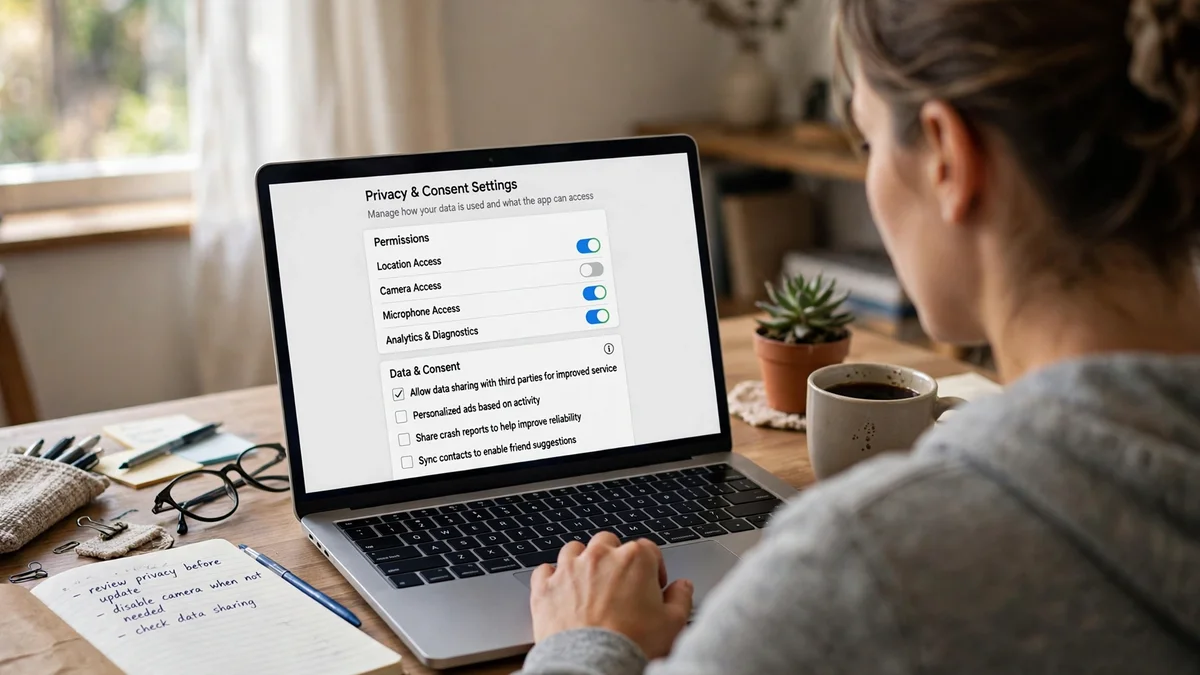
Yes, with basic rules around consent, transparency, and licensing. The most important rule in 2026 is voice cloning consent: never clone a real person’s voice without explicit, documented permission.
Reputable platforms make you read a live verification script into your microphone to prove the voice is yours. Cloning a celebrity or voice actor without a contract violates platform terms, risks an account ban, and can bring right-of-publicity lawsuits and FTC impersonation penalties.
In the US, watch disclosure rules too. The FCC bans AI voices in unsolicited robocalls without consent, and the FTC prohibits synthetic voices in fake testimonials.
YouTube, TikTok, and Meta require creators to tick the altered or synthetic content box on realistic AI audio; checking it does not hurt reach, but hiding it can get the video removed.
Finally, stick to actively maintained tools. In the past year, two once-popular voice platforms shut down: PlayHT was acquired and its platform sunset, and Lovo filed for bankruptcy, leaving users with no export path.
Before building a workflow around any app, confirm the company is shipping updates and that commercial rights are in writing on your plan.
Bottom Line: Why ElevenLabs Wins for Voice and Suno Wins for Music
AI audio tools in 2026 have finally moved past the novelty phase into reliable daily production tools. If you want the single most realistic AI voice generator for YouTube videos, audiobooks, or client narration, start with ElevenLabs.
Its vocal warmth, breathing, and emotional range sit a full step ahead of the pack, and its $6 per month Starter plan makes it affordable for solo creators.
If you prefer an all-in-one workspace where you can sync voiceovers directly to training slides or marketing videos, choose Murf AI, and if you record your own podcasts or talking-head videos, grab Descript to edit your media like a text document.
On the music side, pick Suno for instant, catchy vocal songs, Udio for high-resolution studio production, and Soundraw for worry-free instrumental background music that fits every cut of your video.
Frequently Asked Questions
ElevenLabs has the best free AI voice generator for testing. Its free tier gives 10,000 credits per month (about 10 minutes of audio) with the same realistic voices as paid plans. Upgrade to the $6/month Starter plan for commercial rights.
Yes, if you generate the audio on a paid plan. ElevenLabs, Murf AI, Speechify Studio, and WellSaid Labs all include commercial rights on paid tiers. Free plans are for testing only and do not cover monetized or client work.
You will not get a copyright strike if you use a paid plan from Suno, Udio, or Soundraw, which grants you a commercial license. Note that purely AI-generated music cannot be copyrighted by you under US law, though your own lyrics and recordings are protected.
ElevenLabs sounds the most human in blind listening tests. It reads whole paragraphs for context, adding natural breaths, pitch drops, and emotional tone. Its Speech-to-Speech changer can also copy your exact timing and inflection.
No, you can clone your own voice freely. Every major platform will still ask you to complete a live voice verification (reading a prompt aloud) to prove the voice is yours. Never clone someone else’s voice without their explicit consent.
Pair ElevenLabs (Starter $6/month) with Soundraw. ElevenLabs gives you a warm, engaging narrator, while Soundraw creates custom background tracks where you can mute the lead melody so it never covers your voiceover.

